Seeing as the holiday season is fast approaching, I thought I’d offer an extra post covering some of the browsing and blogging tips and tricks I run on the Significant Figures site at Sciencetext.com. On that site I used to mainly discuss inappropriate unit conversions, sloppy statistical use, and dodgy typos in the media and still do occasionally.
For instance, there was a lot of press on the comet bigger than the sun issue recently, which interconverted miles and kilometres with astoundingly high improvements in significant figures. Then there was the discussion of how much does Santa Claus weigh…
But, like I say, mostly it’s tips on how to get the most from your web browser, improve security, and boost your blog’s performance. It acts as my personal lab book for all kinds of hacks, so I always have an online reminder of tweaks in case I lose track of how I fixed a particular problem. To follow are some of the most commonly accessed pages on the site, hopefully one or two of them will strike a chords and be of use to Sciencebase readers:
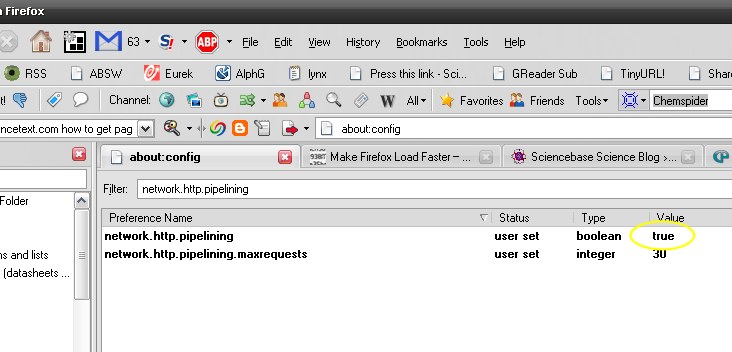
- Make Firefox load faster – a few simple tweaks to speed up Firefox
- Reset your Windows Live password – a phishing attack warning
- Instant file sharing – Sidestep the limitations of convetional email systems to share 500 Mb files and more
- How to open banned sites – Totalitarianism is illegal, find ways round the filters
- Get Windows Vista on XP – Skin up your XP installation
- Import Firefox bookmarks into Google bookmarks – Does what it says on the tin (other metals are available)
- Use Google Mail as an online drive – Ditto
- How to extract images from Powerpoint files – Errr…ditto
- What to do When Your PC Won’t Boot – How to do a hard reset at the motherboard level
- How to watch DVDs on your iPhone – Find out how to go portable with movies
So, there you go, if you plan to use any of these, please backup any important data files first to avoid the need for data recovery and don’t blame me if it all goes horribly wrong, you use them at your own risk. I would be interested to hear how you get on if you do apply any of my hacks.